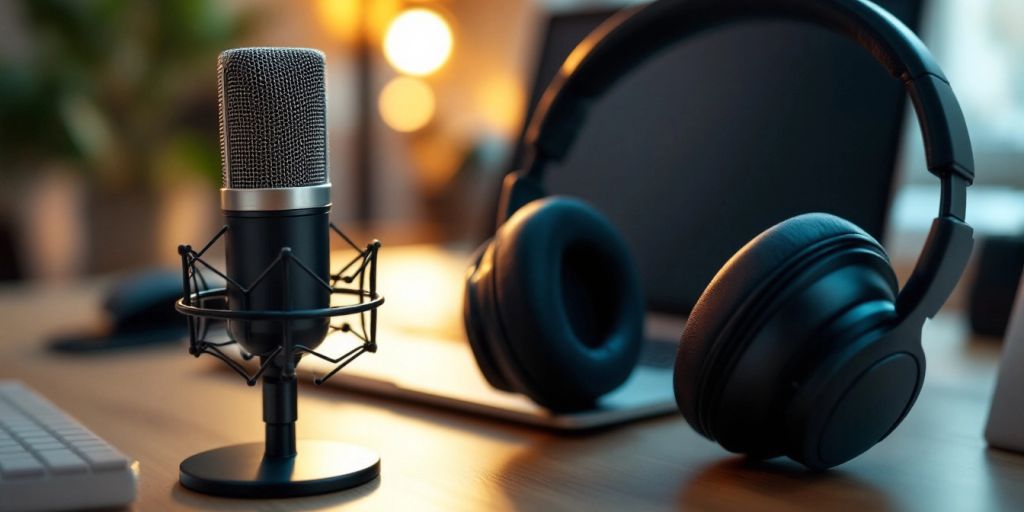
Beginner’s Guide to Podcasting Equipment for Businesses
Starting a podcast can be exciting, but choosing the right equipment is crucial for producing high-quality audio. This guide will help you understand the essential gear every beginner should consider, making your podcasting journey smoother and more enjoyable.
Key Takeaways
A good microphone is essential for capturing clear audio; USB microphones are great for beginners.
Quality headphones help you monitor sound effectively during recordings.
A microphone boom arm keeps your mic steady and allows hands-free use.
Using a pop filter minimizes unwanted sounds from your voice.
Recording and editing software is key for producing polished episodes.
Consider investing in a good camera and lighting if you plan to create video podcasts.
Podcast equipment bundles can save you money and provide all you need in one package.
Regular maintenance of your gear ensures it lasts longer and performs well.
Essential Podcasting Equipment for Business Beginners
Starting a podcast can be exciting, but having the right equipment is crucial for success. Here’s a breakdown of the essential tools you’ll need:
Choosing the Right Microphone
A good microphone is the heart of your podcast setup. For beginners, a USB microphone like the Samson Go Mic is a great choice. It’s portable and easy to use, making it perfect for recording on the go.
Importance of Quality Headphones
Quality headphones are essential for monitoring your audio. They help you catch any issues while recording. Look for headphones that are comfortable and block out background noise, such as the Sennheiser 280 PRO.
Benefits of a Microphone Boom Arm
A microphone boom arm, like the QuadCast Mic Arm, keeps your microphone steady and at the right height. This allows for hands-free recording and helps maintain consistent audio levels.
Using a Pop Filter
A pop filter is a simple yet effective tool that reduces unwanted sounds from plosive letters like ‘p’ and ‘b’. It’s an affordable addition that can significantly improve your audio quality.
Selecting Recording and Editing Software
Choosing the right software is key to producing high-quality podcasts. SquadCast is a top pick for beginners, offering both recording and editing features that are user-friendly.
Additional Accessories to Consider
Don’t forget about other accessories that can enhance your setup:
Shock mounts to reduce vibrations
Windshields to minimize wind noise
Cables for connecting your equipment
“Investing in the right equipment can make a huge difference in the quality of your podcast.”
With these essentials, you’ll be well on your way to creating a professional-sounding podcast that resonates with your audience. Remember, the right tools can help you share your message effectively!
Microphones: The Heart of Your Podcast Setup
Microphones are essential for any podcast setup. They capture your voice and send it to be recorded, making them the first step in your recording process. Choosing the right microphone can greatly impact your podcast’s sound quality. Here are some key points to consider:
USB vs XLR Microphones
USB Microphones: Easy to use, just plug into your computer. Great for beginners.
XLR Microphones: Offer better sound quality but require an audio interface. Ideal for those looking to upgrade.
Top USB Microphones for Beginners
Samson Q2U: Highly recommended for its versatility as both USB and XLR.
Blue Yeti: Popular but can be tricky to use correctly.
Shure MV7: Excellent quality but on the pricier side.
Best XLR Microphones for Quality Sound
Audio-Technica AT2020: Great for studio recordings.
Shure SM7B: A favorite among professionals for its rich sound.
Rode NT1: Known for its clarity and low noise.
Condenser vs Dynamic Microphones
Dynamic Microphones: Durable and less sensitive to background noise, perfect for noisy environments.
Condenser Microphones: More sensitive and ideal for controlled settings.
Wireless and Lavalier Microphones
Wireless Microphones: Offer freedom of movement, great for interviews.
Lavalier Microphones: Small and clip onto clothing, perfect for video podcasts.
Microphone Maintenance Tips
Regularly check cables for wear and tear.
Store microphones in a safe, dry place.
Clean the microphone with a soft cloth to avoid dust buildup.
“A good microphone is the foundation of a great podcast. Invest wisely!”
Headphones: Monitoring Your Audio
Why You Need Quality Headphones
When podcasting, having quality headphones is essential for monitoring your audio accurately. They help you catch any mistakes or issues in your recordings before they reach your audience. Here are some key reasons:
Sound Isolation: Closed-back headphones prevent sound from leaking out and block external noise, allowing you to focus on your audio.
Comfort: Look for headphones with soft ear pads and a comfortable fit, especially for long recording sessions.
Durability: Choose headphones that can withstand regular use and travel.
Top Headphones for Podcasting
Here are some recommended headphones for podcasting:
Type
Model
Price
Low Budget
Audio-Technica ATH-M20x
$46.99
Mid Budget
Sony MDR7506
$98.00
High Budget
Shure SRH1540
$499.00
Over-Ear vs On-Ear Headphones
Over-Ear: These headphones cover your entire ear, providing better sound isolation and comfort for long sessions.
On-Ear: These sit on your ears and are usually lighter but may not block as much sound.
Noise-Canceling Features
Noise-canceling headphones can be beneficial in noisy environments, helping you focus on your audio without distractions.
Comfort and Durability
Choose headphones that are comfortable for extended use. Look for features like:
Soft ear pads
Adjustable headbands
Lightweight materials
Budget-Friendly Options
If you’re on a budget, consider:
Audio-Technica ATH-M20x: Great entry-level option.
Sony MDR7506: Known for sound quality and comfort.
Quality headphones are a crucial investment for any podcaster. They not only enhance your listening experience but also ensure that your audio is clear and professional.
Free Options: Audacity and GarageBand are great for beginners.
Paid Options: Adobe Audition offers advanced features for a yearly fee.
Trial Versions: Many paid software options have free trials, so you can test them out before committing.
Top Software Picks for Beginners
Software
Price
Features
Audacity
Free
Multi-track editing, noise reduction
GarageBand
Free
User-friendly, voiceover presets
Adobe Audition
$250/year
Professional editing tools, multitrack
Descript
$0 to $24/month
AI editing, easy text-based editing
Mobile Apps for Recording on the Go
Anchor: Free and easy to use.
Spreaker: Offers both recording and live streaming.
Riverside: Great for high-quality remote recordings.
Choosing the right software can greatly enhance your podcasting experience. It’s important to find a balance between ease of use and the features you need to create high-quality content.
Editing Tips for High-Quality Podcasts
Trim Unnecessary Parts: Remove long pauses and mistakes.
Add Music and Effects: Use royalty-free music to enhance your podcast.
Balance Audio Levels: Ensure all speakers are at a similar volume.
Integrating Music and Sound Effects
Use royalty-free music to avoid copyright issues.
Sound effects can make your podcast more engaging.
Balance music and voice to ensure clarity.
Cloud Storage and Backup Solutions
Google Drive: Free storage for your recordings.
Dropbox: Easy sharing and backup options.
iCloud: Great for Apple users to keep everything synced.
By selecting the right recording and editing software, you can create a podcast that sounds professional and engaging, helping you connect with your audience effectively.
Creating a Professional Podcast Studio
Setting Up Your Recording Space
To create a great podcast studio, choose a quiet area in your home or office. This space should be free from distractions and noise. Here are some tips:
Pick a room with minimal outside noise.
Use soft materials like carpets and curtains to absorb sound.
Arrange your furniture to create a comfortable recording environment.
Acoustic Treatments for Better Sound
Adding acoustic treatments can significantly improve your sound quality. Consider these options:
Install acoustic panels on the walls.
Use bass traps in corners to reduce low-frequency noise.
Hang soundproof curtains to block outside noise.
Choosing the Right Furniture
Your studio furniture should be functional and comfortable. Here are some essentials:
A sturdy desk for your recording equipment.
Comfortable chairs for you and your guests.
Shelves or storage for your gear and accessories.
Cable Management Tips
Keeping your cables organized is important for safety and aesthetics. Follow these tips:
Use cable ties to bundle cables together.
Label your cables for easy identification.
Keep cables off the floor to prevent tripping hazards.
Lighting Solutions for Video Podcasts
If you plan to record video podcasts, good lighting is essential. Here are some lighting options:
Softbox lights for even illumination.
Ring lights for a flattering look.
Adjustable lamps for flexibility in lighting.
Budgeting for Your Studio
Creating a professional studio doesn’t have to break the bank. Set a realistic budget and prioritize essential items. Consider:
Buying used equipment to save money.
Investing in quality over quantity.
Gradually upgrading your gear as your podcast grows.
Remember, a well-planned studio can enhance your podcast’s quality and make your recording experience enjoyable. Creating a professional podcast studio is about making smart choices that fit your needs and budget.
Video Podcasting: Adding a Visual Element
Choosing the Right Camera
When it comes to video podcasting, the essential equipment for video podcasting includes:
A high-quality webcam or camera
A reliable microphone
Headphones
Video editing software
Choosing the right camera can significantly impact the quality of your video. Here are some popular options:
Camera Model
Price
Features
Logitech Pro Webcam
$200
1080p HD, H.264 encoding
Mevo Start
$400
Wireless streaming, 1080p HD video
Lighting Tips for Video Podcasts
Good lighting is crucial for video quality. Here are some tips:
Use soft, diffused light to avoid harsh shadows.
Position lights at a 45-degree angle to your face.
Consider using ring lights for even illumination.
Best Video Editing Software
Editing your video is essential to create a polished final product. Here are some software options:
FXhome HitFilm Express: Free and powerful for quick edits.
Apple iMovie: Great for Mac users, also free.
Adobe Premiere Pro: A professional choice with a subscription fee.
Video podcasting can elevate your content, making it more engaging and visually appealing. Investing in the right equipment will help you create high-quality videos that attract more viewers.
Podcast Equipment Bundles: All-in-One Solutions
When starting a podcast, bundles can simplify your setup. They often include everything you need, making it easier for beginners to get started. Here’s a look at some popular options:
Benefits of Equipment Bundles
Cost-Effective: Buying a bundle is usually cheaper than purchasing items separately.
Compatibility: All items in a bundle are designed to work well together.
Convenience: You get everything you need in one package, saving time and effort.
Top Podcast Equipment Bundles
Bundle Name
Description
Rode Podcaster Bundle
Perfect for two-person setups, includes microphones, boom arms, and headphones.
Rode Ultimate Podcaster Bundle
Designed for four-person setups, includes four microphones, boom arms, and headphones.
An all-in-one podcasting starter setup with a 7-channel soundboard, audio interface, and 25mm diaphragm XLR microphone for live streaming, recording, and TikTok.
Comparing Bundle Prices
Rode Podcaster Bundle: $499
Rode Ultimate Podcaster Bundle: $999
Alabs FXcaster Bundle: $299
Customizing Your Bundle
You can often customize bundles to fit your needs. Consider adding:
Extra microphones for guests.
Additional headphones for better monitoring.
A pop filter to improve audio quality.
Where to Buy Podcast Bundles
Online retailers like Amazon and B&H.
Local electronics stores.
Specialty audio equipment shops.
Bundles are a great way to start your podcasting journey without feeling overwhelmed by choices. They provide a solid foundation for your audio needs, allowing you to focus on creating great content!
Advanced Podcasting Gear for Growing Businesses
As your podcast grows, investing in advanced equipment can significantly enhance your production quality. Here are some key areas to focus on:
Upgrading Your Microphone
Consider moving from a USB mic to an XLR microphone for better sound quality.
Look for models that offer versatility for different recording situations.
Ensure compatibility with your existing setup.
Investing in a Mixer or Audio Interface
A mixer allows you to control multiple audio sources.
An audio interface improves sound quality and connects XLR mics to your computer.
Choose a model that fits your budget and needs.
Advanced Headphones for Professionals
Opt for closed-back headphones to prevent sound leakage.
Look for models with a comfortable fit for long recording sessions.
Consider options with a flat frequency response for accurate monitoring.
High-End Recording Software
Invest in software that offers advanced editing features.
Look for options that support multi-track recording.
Ensure it integrates well with your existing tools.
Specialized Acoustic Treatments
Use acoustic panels to reduce echo and improve sound clarity.
Consider bass traps for low-frequency sound control.
Explore DIY options to save on costs.
Professional Lighting Kits
If you’re recording video podcasts, good lighting is essential.
Look for adjustable lighting kits to create the right mood.
Consider softbox lights for even illumination.
Investing in advanced podcasting gear can elevate your content and help you reach a wider audience. Quality equipment not only improves sound but also enhances your overall production value.
By focusing on these areas, you can ensure that your podcast stands out and meets the expectations of your growing audience. Remember, the right tools can make a significant difference in your podcasting journey!
Portable Podcasting: Recording on the Go
When you’re on the move, having the right podcasting gear is essential. Portable equipment allows you to capture high-quality audio anywhere. Here are some key items to consider:
Essential Portable Equipment
Smartphone: Your phone is a great starting point for recording. Upgrading to a newer model can improve audio quality.
Portable Microphones: Compact options like the Rode Lavalier GO or Wireless GO II are easy to carry and provide excellent sound.
Collapsible Headphones: Look for headphones that are adjustable and can fold up for easy transport.
Best Portable Microphones
Microphone Model
Type
Key Feature
Rode Lavalier GO
Wired
Compact and easy to use
Wireless GO II
Wireless
High-quality audio without cables
Zoom H4n Pro
Recorder
Built-in mics and effects
Using Mobile Devices for Recording
Recording Apps: Use apps like GarageBand or SquadCast for recording and editing on the go.
Digital Recorders: Devices like the Zoom H4n Pro offer more features than a smartphone and are great for serious podcasters.
Built-in Mics: Many smartphones have decent built-in microphones, but adding an external mic can enhance sound quality.
Recording on the go can be simple and effective with the right tools. Focus on portability and sound quality to ensure your podcast stands out.
Travel-Friendly Accessories
Portable Stands: Consider lightweight stands for stability while recording.
Carrying Cases: Protect your gear with padded cases designed for travel.
Extra Batteries: Always have spare batteries or a power bank to keep your devices charged.
With these tips and tools, you can create a professional podcast no matter where you are!
Microphone Accessories: Enhancing Your Audio Quality
Importance of Pop Filters
A pop filter is essential for improving your audio quality. It helps to reduce popping sounds that occur when pronouncing certain consonants, like “p” and “b.” Here are some key points to consider:
Type of pop filter: Nylon is common and affordable, while metal mesh offers better sound quality.
Size: Ensure it fits your microphone.
Shape: A curved design allows for more movement.
Using Shock Mounts
A shock mount is another important accessory. It attaches your microphone to a stand or boom arm, protecting it from vibrations and shocks. When choosing a shock mount, consider:
Compatibility: Not all shock mounts fit every microphone.
Build quality: Look for something durable.
Budget: Prices can vary.
Choosing the Right Boom Arm
A microphone boom arm is great for positioning your mic closer to your mouth, which can enhance sound quality. Here are some tips:
Stability: Ensure it can hold your microphone securely.
Adjustability: Look for one that can be easily moved.
Noise dampening: This helps reduce unwanted sounds.
Using the right accessories can significantly improve your podcast audio quality. Simple adjustments like microphone positioning and using a pop filter can elevate your sound to a professional level.
Headphone Accessories: Improving Your Listening Experience
Ear Pads and Cushions
Comfort is key: Look for soft ear pads that feel good during long sessions.
Choose cushions that fit snugly to block outside noise.
Consider replaceable pads for longevity.
Headphone Amplifiers
Amplifiers can enhance sound quality, especially for high-impedance headphones.
They help in achieving clearer audio, making it easier to catch details in your recordings.
Portable options are available for on-the-go podcasters.
Extension Cables
Useful for connecting headphones to devices that are far away.
Ensure the cable is durable to withstand frequent use.
Look for cables that maintain sound quality without interference.
Wireless Adapters
Wireless options provide freedom of movement while recording.
Ensure low latency to avoid audio delays.
Check battery life to avoid interruptions during sessions.
Headphone Stands and Cases
Stands keep your headphones safe and organized.
Cases protect them during travel, preventing damage.
Look for options that are portable and lightweight.
Cleaning and Maintenance Tips
Regularly clean ear pads to maintain hygiene.
Use a soft cloth for the headband and ear cups.
Store headphones in a case to avoid dust and scratches.
Investing in quality headphone accessories can significantly enhance your listening experience. With the right gear, you can ensure that your audio is clear and enjoyable, making your podcasting journey smoother. Choosing the right headphones is crucial for monitoring your audio effectively.
Lighting and Camera Equipment for Video Podcasts
When creating video podcasts, having the right lighting and camera equipment is essential for producing high-quality content. Here’s what you need to know:
Choosing the Right Lighting Kit
Natural Light: If possible, use natural light from windows for a soft, flattering look.
Ring Lights: These are popular for their even lighting and are great for close-ups.
Softboxes: They diffuse light, reducing harsh shadows and creating a professional appearance.
Best Cameras for Video Podcasts
Logitech C922 Pro: A budget-friendly option that offers 1080p video quality.
Panasonic Lumix G7: A mid-range camera that performs well in low light and offers 4K capabilities.
Sony Alpha ZV-E1: A high-end choice with excellent stabilization and 4K support.
Using Tripods and Mounts
Tripods: Essential for stabilizing your camera and preventing shaky footage.
Mounts: Consider using adjustable mounts to achieve the best angles for your shots.
Lighting is crucial for creating a professional look in your videos. Investing in quality lighting equipment can significantly enhance your production quality.
Lighting Techniques for Beginners
Three-Point Lighting: Use a key light, fill light, and backlight for a balanced look.
Adjust Brightness: Make sure your lighting is bright enough to illuminate your face without being harsh.
Color Temperature: Use lights with adjustable color temperatures to match the mood of your podcast.
Camera Settings for Optimal Quality
Resolution: Aim for at least 1080p for clear video.
Frame Rate: 30 fps is usually sufficient for podcasts, but 60 fps can provide smoother motion.
Autofocus: Ensure your camera has reliable autofocus to keep you in focus as you move.
By carefully selecting your lighting and camera equipment, you can create engaging video podcasts that captivate your audience. Remember, professional lighting can make a significant difference in your video quality!
Acoustic Treatments: Soundproofing Your Studio
Creating a great podcast requires more than just good equipment; the environment matters too. Proper acoustic treatments can significantly improve your sound quality by reducing unwanted noise and echo. Here are some key aspects to consider:
Types of Acoustic Panels
Foam Panels: These are lightweight and easy to install. They help absorb sound and reduce reverb.
Bass Traps: These are designed to manage low-frequency sounds, making your audio clearer.
Diffusers: These scatter sound waves, preventing them from bouncing back directly into the microphone.
DIY Acoustic Treatment Solutions
Use Heavy Curtains: Hang thick curtains over windows to block outside noise.
Rugs and Carpets: Place rugs on hard floors to absorb sound.
Bookshelves: Fill a bookshelf with books to create a natural sound barrier.
Placement Tips for Acoustic Panels
Corners: Place bass traps in corners where sound tends to build up.
First Reflection Points: Install panels on walls where sound first reflects off.
Behind the Mic: Position panels behind your microphone to catch any sound bouncing back.
By investing in the right acoustic treatments, you can transform any space into a professional-sounding studio. Remember, even simple changes can make a big difference in your podcast’s audio quality!
Mixers and Audio Interfaces: Enhancing Your Sound
When starting a podcast, you might wonder if you need a mixer or an audio interface. While they aren’t strictly necessary, they can greatly improve your sound quality and flexibility. Here are some reasons to consider using them:
Using an XLR microphone: If you want to use a professional microphone, an audio interface is essential.
Multiple microphones: If you plan to have guests, a mixer allows you to connect several mics.
Live recording: For those who want to mix music and sound effects in real-time, a mixer is a must.
Difference Between Mixers and Audio Interfaces
Feature
Mixer
Audio Interface
Purpose
Combines audio sources
Converts analog to digital
Inputs
Multiple audio sources
Limited inputs
Sound Quality
Varies by model
Generally higher quality
Portability
Often larger
Usually compact
Top Mixers for Podcasting
Zoom LiveTrak L-8: Perfect for podcasters with multiple guests; allows for live mixing.
Rode Rodecaster Pro: Specifically designed for podcasters with intuitive controls.
Behringer Xenyx Q802USB: A budget-friendly option with decent sound quality.
Best Audio Interfaces for Beginners
Focusrite Scarlett 2i2: A popular choice with high-quality preamps and low latency.
PreSonus AudioBox USB 96: Affordable and easy to use, great for beginners.
M-Audio M-Track Solo: A simple interface that’s perfect for solo podcasters.
Connecting Multiple Microphones
To connect multiple microphones, you will need:
A mixer with enough inputs.
XLR cables for each microphone.
A good understanding of audio levels to balance sound.
Using a mixer or audio interface can significantly enhance your podcast’s audio quality, making it sound more professional and engaging for your listeners.
Pop Filters and Windshields: Clearer Audio
Benefits of Using Pop Filters
Pop filters are essential for your podcasting microphone. They help reduce popping sounds caused by plosives, which are the bursts of air that occur when pronouncing words starting with ‘P’ or ‘T’. Investing in a pop filter can significantly improve your audio quality. Here are some popular options:
Aokeo Professional Pop Filter – $10: Universally compatible with an adjustable gooseneck.
PEMOTech Pop Filter – $12: Easy to set up and enhances vocal recording quality with its metal and foam layers.
Types of Pop Filters
When choosing a pop filter, consider the following:
Material: Nylon is common and affordable, while metal mesh offers better sound quality.
Size: Ensure it fits your microphone.
Shape: A curved shape allows for more movement.
Mounting: Most use a gooseneck mount for flexibility.
Budget: Prices can vary, so choose one that fits your needs.
Choosing the Right Windshield
Windshields are also important for clear audio. They block out wind noise and other unwanted sounds. For example, the podmic pop filter foam cover is designed to fit perfectly on your Rode Podmic microphone, effectively blocking out plosives and wind noise.
Maintaining Your Pop Filters
To keep your pop filters effective:
Clean them regularly to avoid dust buildup.
Check for wear and tear to ensure they are still effective.
Replace them if they become damaged or worn out.
Using pop filters and windshields can greatly enhance your podcast’s audio quality, making it more enjoyable for your listeners.
Choosing the Right Podcasting Computer
When it comes to podcasting, selecting the right computer is crucial for a smooth recording and editing experience. Here are some key factors to consider:
Minimum Requirements for Podcasting
CPU: Look for a powerful processor like Core i5/i7 or Apple M1/M2. These will help with audio and video editing.
RAM: At least 8 GB is needed, but 16 GB is better for handling larger files.
Storage: Opt for Solid State Drives (SSDs) with at least 512 GB or 1 TB for faster data access.
Top Laptops for Podcasting
Budget Level
Laptop Model
Price
Low Budget
Acer Aspire 5
$323
Mid Budget
Apple MacBook Air
$999
High Budget
Apple MacBook Pro
$1999
Desktop vs Laptop for Podcasting
Desktops: Generally offer more power and storage options.
Laptops: Provide portability, making them ideal for recording on the go.
Using Tablets for Recording
Tablets can be used for basic recording, but they may lack the power needed for editing.
Upgrading Your Computer
Consider upgrading your RAM or storage as your podcasting needs grow.
“A good computer can make all the difference in your podcasting journey.”
Software Compatibility
Ensure your computer’s operating system works with your chosen recording and editing software. For example, Logic Pro is only available on macOS, while Audacity works on multiple platforms.
By keeping these points in mind, you can choose a computer that will help you create high-quality podcasts efficiently.
Integrating Music and Sound Effects
Choosing Royalty-Free Music
When selecting music for your podcast, consider these options:
Royalty-free music: This is music you can use without paying royalties each time.
Creative Commons: Some artists allow their music to be used for free, but check the license.
Original compositions: If you have the skills, creating your own music can give your podcast a unique touch.
Using Sound Effects Effectively
Adding sound effects to your podcast is an easy way to add interest to the audio. These sound effects should not be distracting during a fascinating interview. Here are some tips:
Use sound effects to emphasize key points.
Keep them subtle to avoid overwhelming your audience.
Consider the mood of your podcast when choosing effects.
Software for Adding Music
To integrate music and sound effects seamlessly, you’ll need the right software. Here are some popular options:
Audacity: A free, user-friendly audio editor.
GarageBand: Great for Mac users, offering various music tools.
Adobe Audition: A professional tool for advanced editing.
Live Music Integration
If you want to include live music in your podcast, consider these points:
Ensure you have the right permissions to use the music.
Test the sound levels before recording.
Plan how the live music will fit into your overall podcast structure.
Balancing Music and Voice
Balancing music and voice is crucial for a professional sound. Here are some strategies:
Adjust the volume of the music so it complements rather than overpowers the voice.
Use fades to smoothly transition between music and speaking.
Regularly listen back to your recordings to ensure the balance is right.
Legal Considerations
Always be aware of the legal aspects of using music and sound effects:
Check licenses for any music you use.
Consider copyright laws to avoid potential issues.
Keep records of permissions for any original music or sound effects you create or use.
Promoting Your Podcast: Equipment and Strategies
Using Social Media Tools
To effectively promote your podcast, consider these social media tools:
Canva for creating eye-catching graphics.
Hootsuite for scheduling posts across platforms.
Buffer for analyzing engagement metrics.
Creating Video Clips for Promotion
Video clips can grab attention. Here’s how to create them:
Select engaging moments from your episodes.
Use software like Adobe Premiere Pro or iMovie to edit.
Share on platforms like Instagram and TikTok.
Live Streaming Equipment
Live streaming can boost your audience. Essential equipment includes:
A good quality webcam.
A reliable microphone for clear audio.
Streaming software like OBS Studio.
Promoting your podcast effectively can significantly increase your audience. Use the right tools and strategies to reach more listeners.
Email Marketing Tools
Email marketing is a powerful way to connect with your audience. Consider:
Mailchimp for creating newsletters.
ConvertKit for managing subscribers.
Constant Contact for tracking email performance.
Collaborating with Other Podcasters
Working with others can expand your reach. Here are some ideas:
Guest appearances on each other’s shows.
Joint promotions on social media.
Sharing resources and tips.
Analyzing Listener Data
Understanding your audience is key. Use tools like:
Spotify for Podcasters for insights on listener demographics.
Apple Podcasts Connect for performance metrics.
Google Analytics for website traffic related to your podcast.
By utilizing these strategies and tools, you can effectively promote your podcast and grow your audience.
Budgeting for Podcasting Equipment
Starting a podcast can be exciting, but it’s important to keep your budget in check. Here are some tips to help you manage your spending while still getting the gear you need.
Setting a Realistic Budget
Determine how much you can afford to spend.
Consider both initial costs and ongoing expenses.
Factor in potential upgrades as your podcast grows.
Prioritizing Essential Gear
When starting out, focus on the basics:
Microphone: A good quality mic is crucial for clear audio.
Headphones: Invest in decent headphones to monitor your sound.
Recording Software: Choose software that fits your needs, whether free or paid.
Finding Deals and Discounts
Look for sales during holidays or special events.
Check online marketplaces for used equipment.
Sign up for newsletters from equipment retailers for exclusive offers.
Renting vs Buying Equipment
Renting can be a good option for high-end gear you may not use often.
Buying is better for essential items you’ll use regularly.
Upgrading Over Time
Start with basic equipment and upgrade as your podcast grows.
Keep an eye on new technology that can enhance your setup.
Avoid common budgeting mistakes by planning ahead and sticking to your budget.
“Investing wisely in your podcasting gear can lead to better content and a more professional image.”
By following these guidelines, you can create a successful podcast without overspending. Remember, the goal is to produce great content, and the right equipment will help you achieve that!
Maintaining and Upgrading Your Podcast Equipment
Regular Maintenance Tips
To keep your podcast equipment in top shape, follow these simple maintenance tips:
Clean your microphones regularly to avoid dust buildup.
Store your headphones in a safe place to prevent damage.
Check cables for wear and tear to ensure good connections.
When to Upgrade Your Gear
Knowing when to upgrade your equipment can enhance your podcast quality. Consider upgrading if:
Your microphone is producing poor sound quality.
You notice background noise that you can’t eliminate.
Your recording software lacks features you need.
Selling Old Equipment
When upgrading, think about selling your old gear. Here are some options:
List on online marketplaces like eBay or Craigslist.
Trade-in at local music stores.
Donate to schools or community centers.
Investing in quality gear will save you from costly upgrades later.
Warranty and Support Options
Always check the warranty on your equipment. Many brands offer:
Limited warranties covering defects.
Customer support for troubleshooting.
Replacement options for damaged items.
Staying Updated with New Technology
The podcasting world is always changing. Stay informed by:
Following industry news and blogs.
Joining podcasting forums and communities.
Attending workshops or webinars on new gear.
DIY Repairs and Troubleshooting
Sometimes, you can fix minor issues yourself. Here are some tips:
Use online tutorials for common repairs.
Keep basic tools handy for quick fixes.
Don’t hesitate to ask for help from experienced podcasters.
Podcasting for Businesses: Unique Considerations
Aligning Equipment with Business Goals
When starting a podcast for your business, it’s essential to align your equipment with your overall business goals. Consider the following:
Target Audience: Understand who you are speaking to and what they want.
Content Strategy: Plan your topics to ensure they resonate with your audience.
Brand Image: Choose equipment that reflects your brand’s professionalism.
Creating a Professional Image
A podcast can significantly impact your business’s image. To create a professional look and sound:
Invest in quality microphones and headphones.
Use a dedicated recording space to minimize background noise.
Ensure your branding is consistent across all platforms.
Collaborating with Team Members
If you have a team, collaboration is key. Here are some tips:
Use Remote Recording Tools: Services like Zoom or Zencastr allow for easy collaboration.
Share Responsibilities: Assign roles such as host, editor, and marketer.
Regular Meetings: Schedule check-ins to discuss content and strategy.
Using Podcasts for Marketing
Podcasts can be a powerful marketing tool. Consider these strategies:
Promote on Social Media: Share episodes and clips to engage your audience.
Email Marketing: Send newsletters featuring your latest episodes.
Cross-Promotion: Collaborate with other podcasters to reach new audiences.
Measuring Podcast Success
To ensure your podcast is effective, track its performance:
Listener Analytics: Use tools to monitor downloads and engagement.
Feedback: Encourage listener feedback to improve content.
Adjust Strategies: Be ready to adapt based on what works and what doesn’t.
Scaling Your Podcast Operations
As your podcast grows, consider:
Investing in Advanced Equipment: Upgrade to mixers or high-end microphones.
Hiring Professionals: Consider hiring an editor or marketing expert.
Expanding Content: Explore video podcasts or live streaming options.
Consistency is key: A consistent episode schedule is one of the most crucial considerations in growing a loyal following.
By focusing on these unique considerations, businesses can effectively leverage podcasting to enhance their brand and connect with their audience.
Wrapping Up Your Podcasting Journey
Starting your podcasting adventure doesn’t have to be overwhelming. With the right tools, you can create high-quality content that engages your audience. Remember, a good microphone, headphones, and recording software are essential for a solid setup. As you grow, you can always upgrade your gear to enhance your sound and video quality. Don’t forget to focus on your content, as that’s what truly matters. So, gather your equipment, share your voice, and enjoy the process of podcasting!
Frequently Asked Questions
What basic equipment do I need to start a podcast?
To start a podcast, you’ll need a microphone, headphones, and recording software. These are the essentials to get you going.
Can I use my phone to record a podcast?
Yes, you can use your phone’s built-in microphone to record a podcast, but for better sound quality, it’s best to invest in a good microphone.
What is the difference between USB and XLR microphones?
USB microphones connect directly to your computer and are easy to set up. XLR microphones require an audio interface or mixer but often provide better sound quality.
Do I need special headphones for podcasting?
While you can use regular headphones, it’s better to have closed-back headphones to help you hear your audio clearly and block out outside noise.
What is a pop filter and why do I need one?
A pop filter is a screen that goes in front of your microphone to reduce popping sounds from letters like ‘p’ and ‘b’. It helps make your audio clearer.
How much should I budget for podcasting equipment?
You can start podcasting with around $150 for basic equipment, but spending more can improve your audio quality.
What software should I use for recording and editing my podcast?
There are many options available. Free software like Audacity or GarageBand is great for beginners, while paid options like SquadCast offer more features.
Can I record a podcast by myself?
Absolutely! Many podcasters record solo episodes. Just make sure you have the right equipment to capture your voice clearly.
What makes a good microphone for podcasting?
A good podcast microphone should reduce background noise, be easy to set up, and provide clear sound quality.
Is it necessary to have a video component for my podcast?
No, many successful podcasts are audio-only. Adding video can enhance your content, but it’s not required.
How can I improve the quality of my podcast over time?
As you grow, consider upgrading your microphone, adding a mixer, or investing in better recording software for improved sound.
What are some tips for recording a podcast on the go?
Use portable recording equipment, choose quiet locations, and consider using a mobile app for easy recording while traveling.